Cisco Port-Security
Objective: Prevent users in sensitive environment from using switches or hubs to connect more than 2 devices to their switchport.
In this example we will implement port-security and limit learned MACs on each switchport to a maximum of 2. To prevent administrative work by the network team, we will implement ‘inactivity aging’. In port-security, ‘inactivity aging’ is a setting that will clear the sticky MAC after a period of time if there is no activity from that MAC address. This allows users to connect and be mobile within the office while still protecting the port and limiting numbers of devices. Here I choose to keep the port in restrict mode to prevent the port from being put in err-disable. I also want to receive log messages while limiting additional device activity.
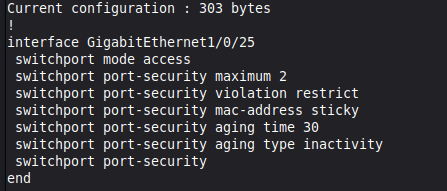
The order in which you apply these commands is significant. I would suggest you run the ‘switchport port-security’ command last, which will activate the feature after the variables are all set up. If you enable it first, you run the risk of putting the port in err-disable state before it’s fully configured. Ask me how I know!
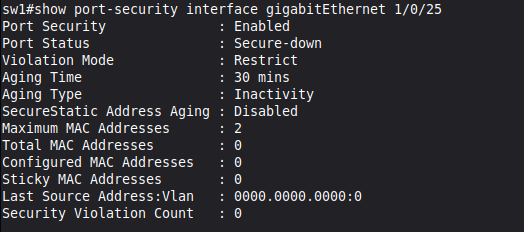
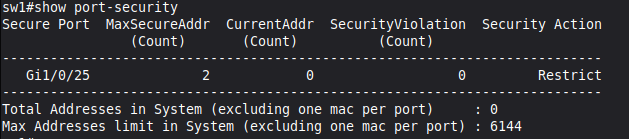
Now we can view the port-security status.